
neoApp
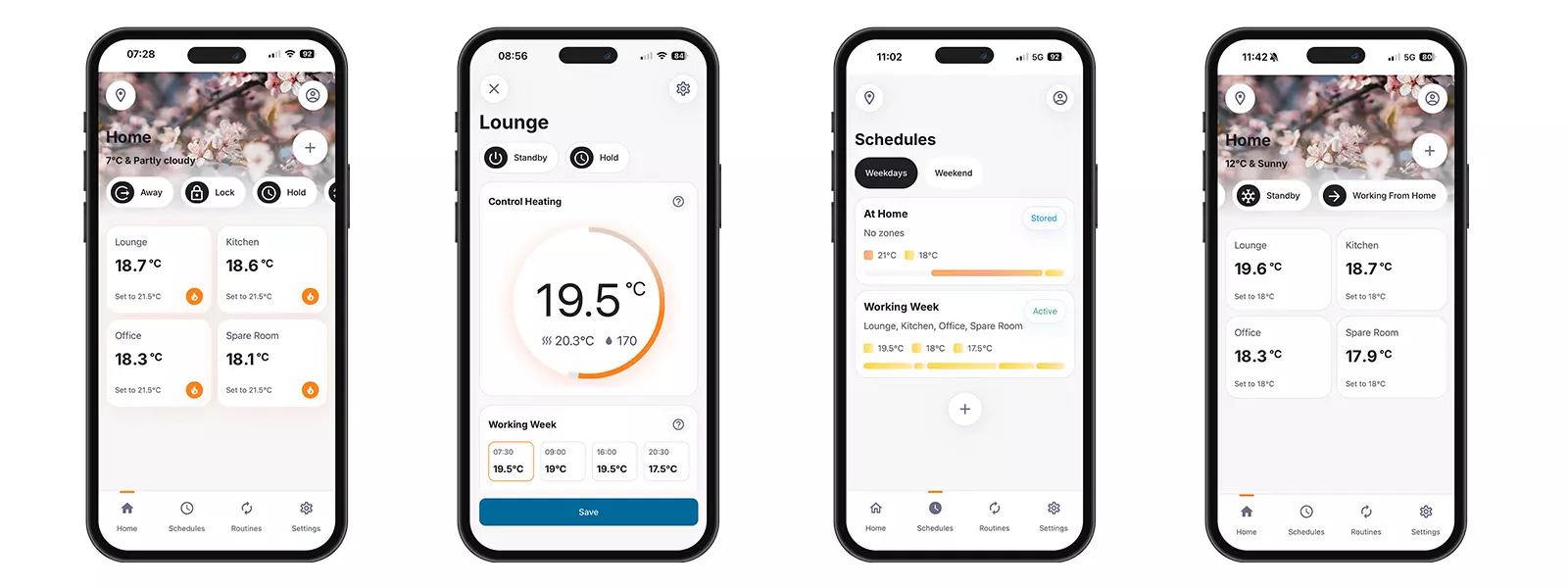
A clearer, more modern app experience
The new neoApp has been redesigned to make the things you do most often easier to find and easier to use.
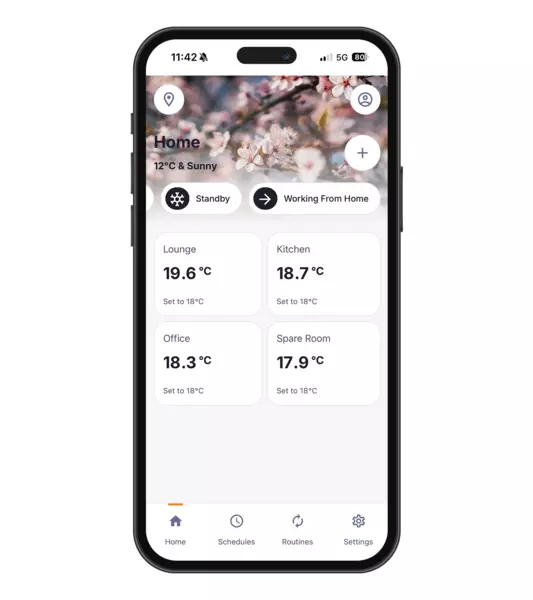
The home screen has been improved, navigation has been simplified and key features such as Away, Boost, Schedules, Routines, History and Settings are now presented in a clearer, more accessible way.
Profiles are now easier to understand as Schedules, helping users manage their heating or timer settings with greater confidence. Recipes have also evolved into Routines, giving you a simpler way to create useful actions across your connected zones and devices.
The result is an app experience that feels easier to learn, quicker to use and more helpful day to day.
A clearer view of your home
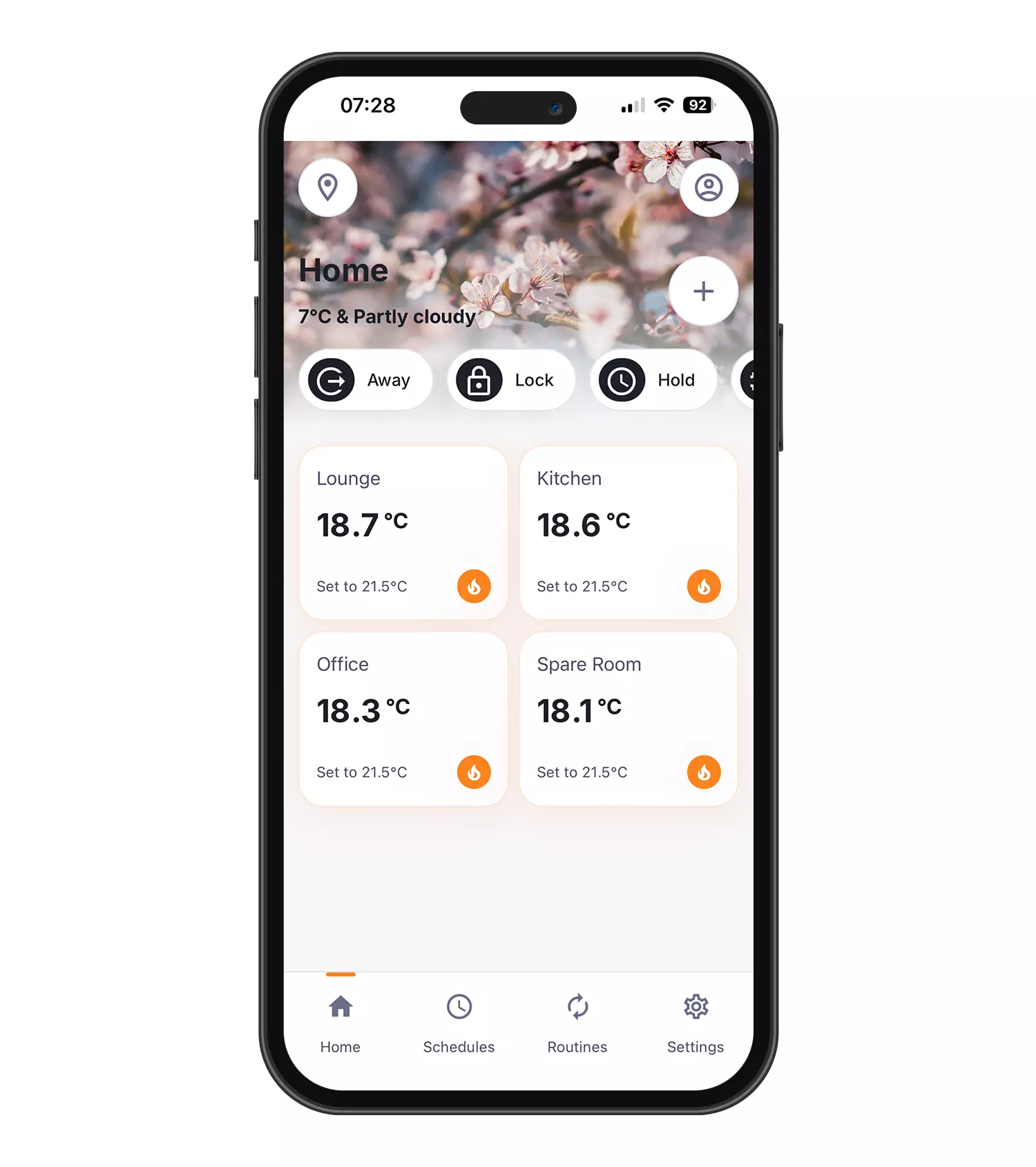
The new Home screen gives you a more immediate view of your connected rooms and zones, helping you see what is happening across your home at a glance.
From here, you can quickly access the main controls you need, including Away mode, Boost, Schedules, Routines, Hour Run and zone settings.
Whether you want to warm one room, apply a temporary boost or make changes across the whole property, the new app is designed to help you get there faster.
Easier control in each room
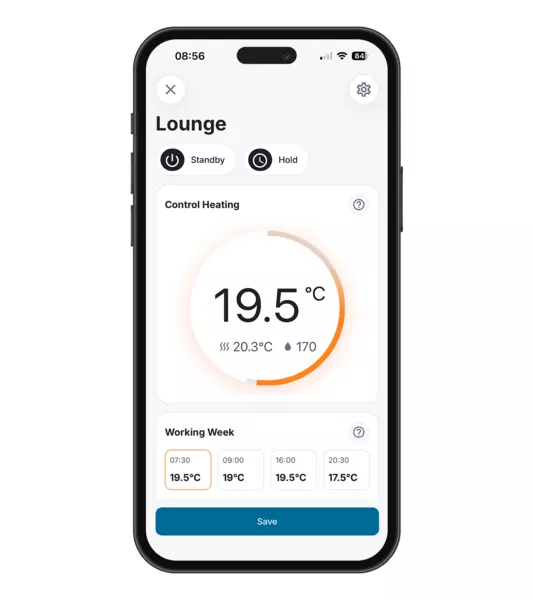
Changing the temperature in a room is now more visual and more intuitive.
Simply select a zone and use the temperature ring to increase or decrease the set temperature. When you make a manual change, the app clearly shows that a temporary Boost has been applied.
You can then choose whether to keep the change for one hour, two hours, a custom time or until the next scheduled change.
This gives you more flexibility when your routine changes, without needing to rewrite your heating schedule.
Clearer schedules, built around your routine
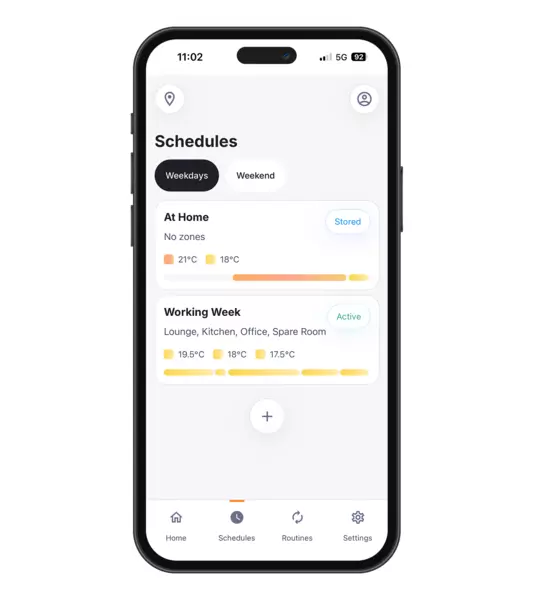
Schedules are now clearer and easier to create.
The new neoApp guides you through creating heating or timer schedules based on the way you want your home to run. You can choose from familiar scheduling options, including the same schedule every day, weekday and weekend schedules, or custom schedules for each day.
For heating schedules, you can set the time and temperature you want, then choose which rooms or zones the schedule should apply to.
It is designed to make scheduling feel less complicated and more confidence-building, especially for homes with multiple zones.
Useful actions for everyday moments
Routines replace Recipes, making it easier to create useful actions for everyday living.
A Routine can combine simple actions, such as setting a temperature, applying a schedule, activating Away mode or controlling connected devices such as a NeoPlug.
For example, you could create a routine for evenings at home, setting selected rooms to a comfortable temperature while leaving unused spaces in a lower-energy state.
Routines help make your Neo system work around your lifestyle, rather than asking you to adjust everything manually.
Away mode made easier
Away mode is now easier to activate and easier to recognise.
From the top bar, you can switch your system into Away mode across your connected thermostats. The app clearly shows when Away mode is active, helping you avoid unnecessary heating or cooling while the home is unoccupied.
When you return, you can turn Away mode off and resume normal operation.
Better insight into heating and cooling
The new neoApp goes beyond simple connected control.
With improved access to History, Hour Run and weekly performance insights, the app helps you understand how your heating or cooling system is being used.
Weekly reports can highlight comfort performance, heating behaviour, manual overrides and opportunities where small adjustments could help improve efficiency.
Manage comfort across connected zones
Neo is designed around zoned comfort, and the new neoApp makes room-by-room control easier to manage.
Each connected zone can be viewed, adjusted and managed individually, so you can keep occupied spaces comfortable while reducing unnecessary energy use in rooms that are not being used.
Designed to make Neo easier to use every day
The new neoApp brings clearer navigation, improved scheduling, guided setup and useful performance insights together in one simpler experience.
Key benefits of the new neoApp
A simpler, clearer way to manage your Heatmiser Neo smart control system.
Download the new neoApp
The new neoApp has been developed to make smart heating and cooling control easier to use, easier to understand and easier to get value from.
For homeowners, that means more than controlling temperatures from a phone. It means clearer insight, better scheduling, simpler adjustments and practical information that can help improve comfort and reduce unnecessary energy use.
With the new neoApp, your IMI Heatmiser neo system becomes easier to manage every day.
Get started
Download the new neoApp from the App Store or Google Play.
The new neoApp is designed for IMI Heatmiser neo smart control systems and connected Neo devices.